
Android APK · iPhone icon
Tiger Exchange App — Live Odds, Bet Slip and UPI Cashier Behind One Icon on Android and iPhone
Yes, the Tiger Exchange app exists in two forms. Android phones install the Tigerexch APK; iPhones get a home-screen icon added from Safari. Both open the same sportsbook with the same ID and balance, so odds, your bet slip and the UPI cashier sit one tap from the lock screen.
Pin the Tiger Exchange Icon in 5 Steps Ask the Desk About an Install

Quick Tiger Exchange App Sign-In With the ID You Already Hold
Three boxes, filled on the phone exactly as you would on a laptop. The Tiger Exchange app has no mobile-only login of its own.
No ID yet? The Tiger Exchange ID page covers the starter amount and the practice account.
What the Tiger Exchange App Holds — Live Odds, Slip and Cashier in One Place
Odds
Slip
Booking code ABC123
Cashier
UPI · IMPS
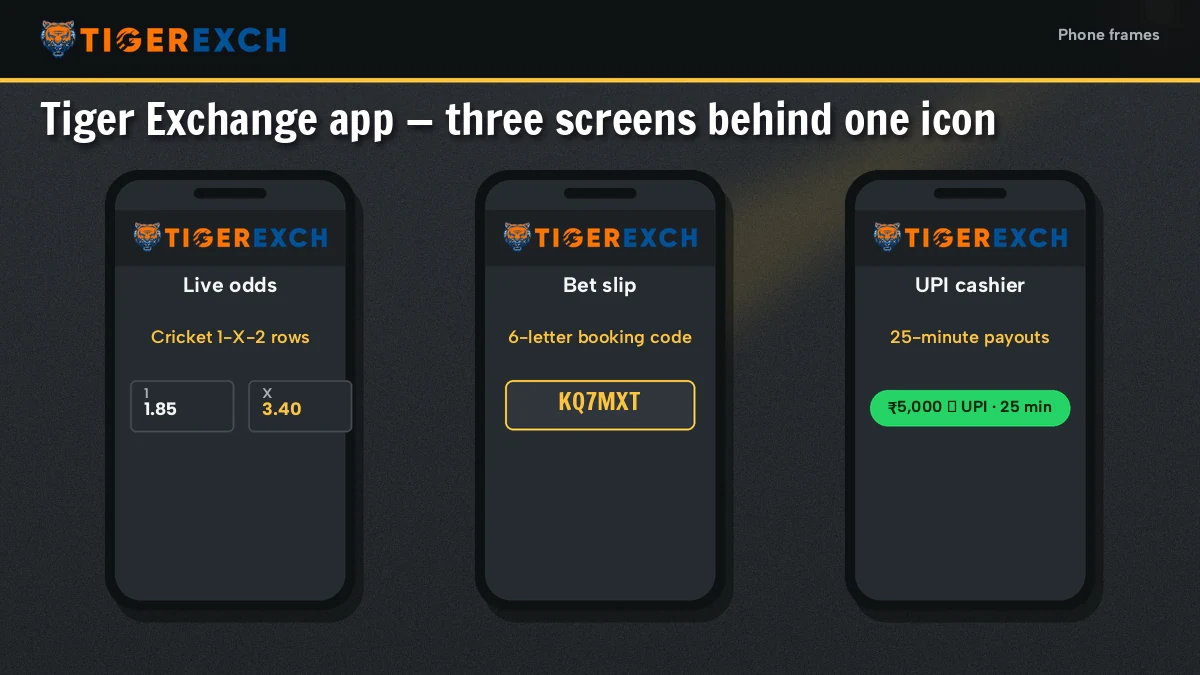
Three things matter on a phone, and the Tiger Exchange app puts all three behind the icon. First the odds: every match shows as 1, X and 2 prices you tap straight into. Then the slip. Then the money.
- Odds board. Cricket comes first in the sport strip, with football and tennis next to it. Prices move while the match runs, and a tap drops the selection onto your Tiger Exchange slip.
- Bet slip. On desktop it lives in the right rail. In the Tiger Exchange app it moves to a bottom tab, which is easier with one thumb. Shared slips load from a short booking code (the home page explains how codes and combo boosts work).
- Cashier. Deposits and payouts go through UPI or IMPS from the same menu. Payout timing and limits are on the Tiger Exchange withdrawal page, so they are not repeated here.
Same wallet everywhere. A bet placed in the Tiger Exchange app shows on the website too, and the balance is one number. There is nothing to sync and nothing to transfer between them.
Tiger Exchange App on Android — One Line, Then the APK Page
On Android the Tiger Exchange app is an APK file you sideload, the build Tiger Exchange hands out itself rather than a store listing. Size, the Android 8+ requirement and the unknown-sources switch are all covered step by step on the Tigerexch APK download page; if you came in through the tigerfair address instead, the Tigerfair APK page explains where that link stands today.
Tiger Exchange App on iPhone — A Simple Home-Screen Icon in Five Steps
An iPhone cannot install APK files at all. So the iPhone version of the Tiger Exchange app is a web icon. It sounds like a downgrade. In practice it behaves almost the same: the icon opens full screen, without the Safari address bar, and usually keeps you signed in between visits.
- Open Safari (Chrome on iPhone cannot add home-screen icons the same way) and go to a working Tiger Exchange address.
- Log in first with the Tiger Exchange user ID and password. Pin while signed out and the icon starts on the sign-in form every time.
- Tap the Share icon at the bottom of Safari, the square with an arrow pointing up.
- Scroll the share sheet and choose Add to Home Screen.
- Rename it if you want (short names fit better under the icon), then tap Add. The Tiger Exchange icon now sits with your other apps.
Which address should the icon point to? Whichever one signs you in today. Betting domains get blocked in India from time to time, and when that happens the Tiger Exchange icon on your iPhone simply stops loading. The fix takes about a minute: delete the old icon, open the current address, repeat steps 2 to 5. Your ID and balance carry over untouched, because they live on the account and not on the address.
One small catch. If you clear Safari history and website data, the icon forgets your session and you sign in again. Nothing is lost, it is just one extra screen. Private browsing mode will not let you add the icon properly either, so switch it off before step 1.
Tiger Exchange App Download and Betting App Terms Made Clear
Tigerexch App or Tiger Exchange App
People search for the Tigerexch app and the Tiger Exchange app as if they were two products.
They are one. Tigerexch is the short form of the brand name, and both names lead to the same Tiger Exchange betting app, the same login and the same cashier.
Tiger Exchange App Download, Phone by Phone
Android owners get a real file: the Tiger Exchange app download is an APK, sideloaded once. iPhone owners skip downloading entirely and pin a Safari shortcut instead.
- Tiger Exchange betting app
- One icon, three jobs: the odds board, a slip parked on the bottom tab, and the UPI or IMPS cashier.
- Tiger Exchange cricket betting app
- Cricket is the first strip the icon lands on, so a match in progress is a single tap away.
- Tigerexch app on a new phone
- The old icon or old APK goes; the user ID and password stay exactly as they were.
Whichever phrase you typed, the account behind the Tiger Exchange app stays the same across Android, iPhone and desktop.
Tiger Exchange Cricket Betting App Opens Straight on the Live Match Strip
Cricket sits first on the sport strip. Tap the icon in the middle of an over and the Tiger Exchange cricket betting app opens on live prices, no menu digging. Below are the three sports people check most from a phone, and how each market reads inside the Tiger Exchange app.
- Tiger Exchange cricket
- Match odds shown as 1 and 2 for the two sides, with X where a draw is a real result (Tests, mostly). Prices update during play, so the number you tapped may shift before you confirm the slip.
- Tiger Exchange football
- Full 1, X and 2, because draws happen often. Same slip, same tap-to-add.
- Tiger Exchange tennis
- Two players, no draw, so only 1 and 2 show. Matches turn quickly, which is where a phone is handier then a laptop.
- The rest of the sport strip
- Four more sports sit further along the strip; the Tiger Exchange home page lists every sport and the casino games too.
A small thing people miss: the Tiger Exchange app shows the same prices as the website at the same moment. There is no separate app pricing and no app-only market, so you can start a slip on a laptop and finish it on the phone.
Tiger Exchange App Sign-In Errors and the Quick Fixes
Nearly every complaint about the Tiger Exchange app turns out to be a sign-in problem rather than an app problem. The usual four, roughly in order of how often they come up:
- Icon opens a blank or error screen. The address behind it is blocked. Open a working Tiger Exchange address, then replace the icon or the APK.
- Wrong password, then locked. Guess a few times on a small keyboard and the Tiger Exchange account pauses itself for a while. Sit tight or reset it; the Tiger Exchange password page has the exact limits.
- The OTP never shows up. The code goes to the number saved on the Tiger Exchange account, not to whatever SIM sits in the phone today. Request a new one instead of reusing a code that has already expired.
- App asks for an ID you never made. You are probably on the sign-up screen. Switch to sign-in, or see the Tiger Exchange login page for the full sign-in flow.
Still stuck after that? The desk number in the side rail answers around the clock, and a screenshot of the error saves a lot of back and forth.

Tigerexch App FAQ — Clear Answers on iPhone, Safety and IDs
Does Tiger Exchange have a mobile app?
Yes, two of them in effect. Android users sideload the Tigerexch APK, while iPhone users pin a Safari icon to the home screen. Either one reaches the full Tiger Exchange sportsbook, casino floor and UPI cashier, and neither asks for anything beyond the user ID and password you use on a laptop.
Is the Tiger app safe to use?
The Tiger Exchange app is only as safe as the place you get it from. Take the APK from the link on the APK download page or from the desk, never from a random file share, and keep your password to yourself. On iPhone the icon is simply a shortcut to the site.
Is there a Tiger Exchange app for iPhone?
Yes, as a Safari web icon rather than an App Store download. Sign in at a working Tiger Exchange address, tap Share, pick Add to Home Screen and name the icon. It then opens full screen on the sportsbook, and the ID and balance match your Android or laptop session.
Is the Tigerexch app the same as the Tiger Exchange site?
Yes. The Tigerexch app shows the same odds, the same markets and the same balance as the Tiger Exchange website. A slip started on a laptop can be finished on the phone, and a deposit made in the app shows on the site as well, because there is only one wallet.
Do I need a separate ID for the Tiger Exchange app?
No. The Tiger Exchange app signs in with your existing user ID and password. A new phone, a reinstalled APK or a fresh iPhone icon all use the same account. If you have no ID yet, open one first on the website and then sign in from the app.